


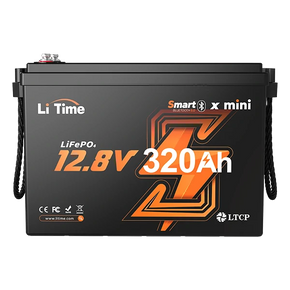


A loose battery terminal is far more than a minor inconvenience. A loose connection increases contact resistance, which—especially in high-current applications like energy storage systems, inverters, and motors—converts electrical energy into intense heat (Q=I^2Rt). This can lead to abnormal terminal heating, intermittent power loss, and even severe risks like electrical arcing or fire.
If you notice a burning smell, crackling sounds, visible sparks, or terminals that are hot to the touch, stop using the battery immediately and follow the steps below. Electrical safety research consistently identifies loose connections as a primary cause of terminal overheating and arcing damage.

- Loose Battery Terminal Symptoms Checklist
- Immediate Safety Steps and Quick Testing
- How to Properly Tighten M8 Stud Terminals
- Why Do Battery Terminals Come Loose?
- What Engineering Features Mitigate the Risk of Loose Terminals?
- How LiTime Minimizes Terminal Risks
- Critical Installation Reminders
- Summary and FAQ
Loose Battery Terminal Symptoms Checklist
Use the following checklist to quickly identify common symptoms of a loose connection:
- Manual Movement: If the bolts or connectors can be moved by hand, you have a loose terminal.
- Intermittent Power: Flickering lights, frequent inverter reboots, or devices cutting in and out are classic signs of a poor connection.
- Visible Damage: Blackened copper lugs, pitting on the bolt surface, or melted plastic around the terminal indicate overheating or arcing.
- Occasional Sparking: Sparks during vibrations or load changes suggest the contact surfaces are "chattering," creating dangerous DC arcs.
Immediate Safety Steps and Quick Testing
1. The 30-Second Safety Protocol
- Disconnect All Loads: Turn off all devices, including inverters, chargers, and solar controllers.
- Ensure Ventilation: If working with lead-acid batteries, OSHA standards require proper ventilation to prevent the buildup of hazardous gases.
- Cool Down: Wait 2–5 minutes for the terminals to cool. Always wear insulated gloves and eye protection before inspection.
Note: NIST research has documented "glowing connections"—high-resistance points that generate heat continuously without necessarily triggering a short-circuit protector.
2. Effective Quick Tests
- Visual Inspection: Look for burn marks or melted casings, which are clear signs of a history of overheating.
- Temperature Check: A terminal that is significantly hotter than the surrounding cable is a major danger signal.
- Voltage Drop Test: While the system is under load, use a multimeter to measure the voltage difference between the battery post and the copper lug. A higher voltage drop indicates high resistance and excessive heat.
How to Properly Tighten M8 Stud Terminals
Most energy storage batteries use M8 stud terminals. Follow these steps for a reliable, professional connection:
- Step 1: Clean Contact Surfaces. Remove the copper lug and clean off oxidation, grease, or heat-damaged surfaces. Debris reduces the contact area and increases resistance.
- Step 2: Ensure "Flush Seating." The copper lug must sit perfectly flat against the terminal. If cable tension pulls the lug at an angle, the contact area decreases, leading to overheating and further loosening. Use strain relief to ensure the cable weight doesn't pull on the connection.
- Step 3: Correct Hardware Stacking. The standard sequence is: Bolt → Washer (if required) → Copper Lug (Flat) → Battery Terminal. Avoid stacking too many lugs on one terminal; use a busbar instead.
- Step 4: Use a Torque Wrench. Tighten to the manufacturer’s torque specs. Pro Tip: Re-torque the bolts after the first high-current use, as thermal expansion can cause new components to "settle" and loosen.
Why Do Battery Terminals Come Loose?
If your terminals loosen repeatedly, it is usually a mechanical issue rather than a lack of strength:
- Lack of Strain Relief: Constant vibration and cable weight act as a lever, prying the lug away from the terminal.
- Over-stacking Lugs: Stacking multiple lugs causes uneven pressure distribution, making them more prone to loosening.
What Engineering Features Mitigate the Risk of Loose Terminals?
When selecting a high-performance battery, consider these design elements that help prevent loose connections:
- Vibration-Resistant Internal Architecture: Does the internal connection design absorb vibration and displacement rather than transferring mechanical force directly to the terminal posts?
- Standardized Torque Protocols & Verification: Professional manufacturers implement strict torque standards combined with validation processes to minimize batch variation and ensure consistent connection quality.
- Mechanical Stress Verification: Reliable batteries should undergo transportation and mechanical stress tests, such as UN 38.3, to ensure the assembly remains secure during transit and rugged use.
How LiTime Minimizes Terminal Risks
LiTime addresses the "loose-heat-failure" chain through superior internal structure and rigorous quality control:

- Flexible Internal Busbars: LiTime uses flexible copper wiring instead of rigid structures. This absorbs vibrations and prevents mechanical stress from reaching the external terminals.
- M8 Torque Control: Our production line enforces a strict 12–14 N·m torque standard for all M8 terminals.
- Advanced Quality Testing: Every battery undergoes a voltage drop and internal resistance check before sealing, and a full-load aging test to monitor temperature performance.
- Performance Data: Under a 100A load, our terminals maintain a safe 122°F (50°C), well below the industry limit of 167°F (75°C).
Critical Installation Reminders
1. Using Backup Gaskets
- Only use a gasket if the connecting terminal/lug is thinner than 2mm.
- The gasket must be placed between the bolt and the copper lug.
- Never place a gasket between the copper lug and the battery terminal post.
2. Copper Lug Orientation

Warning: Never install the copper lug upside down (reverse locking). This prevents full metal-to-metal contact, leading to high resistance and rapid heat buildup.
3. Maintenance
- Wipe away dirt or moisture before connecting. Replace any rusted lugs immediately.
- If the battery is stored for long periods, clean the terminals and store in a cool, ventilated environment.
Summary and FAQ
Most loose battery terminal issues can be prevented by: 1) Cleaning contact surfaces, 2) Tightening to spec with a torque wrench, 3) Applying cable strain relief, and 4) Proper lug orientation. Addressing a battery terminal loose condition early prevents permanent damage.
Looking for reliable power? Browse our 12V LiFePO4 Battery Series here.
Q1: What are the typical symptoms of a loose battery terminal?
Intermittent power, flickering lights, terminal overheating, discolored hardware, or sparks under load.
Q2: Is "just tightening it" enough?
Only if the metal is clean and flat. If there is oxidation or heat damage, you must clean or replace the parts before re-tightening to spec.
Q3: Why do loose terminals get hot?
Loose connections increase resistance. Heat generated increases with the square of the current ($P = I^2R$).
Q4: How do I stop terminals from loosening?
Use strain relief for cables, avoid stacking too many lugs, and perform a follow-up torque check after the first few uses.
Q5: Are sparks at the terminal dangerous?
Yes. Sparks indicate arcing, which can lead to extreme heat and fire. Stop use immediately.


