


Lithium battery dies in cold weather? One of the most frustrating winter moments goes like this: you plug in the charger, and the meter looks like it has given up—“0A.” Sometimes the charger even throws an error. In the garage, at the campsite, out by the snowbank, you start wondering: is the charger dead, is the cable bad, or did the battery finally give up?
This is the winter headache people often describe as a lithium battery that “dies in cold weather”—not because the battery is truly dead, but because cold temperatures change the rules of charging.
Don’t rush to call it dead. A lot of the time, the battery isn’t broken at all—it’s following a built-in “survival rule.”
Why “0A” Often Means the Battery Is Protecting Itself
What you’re seeing is usually not the battery suddenly failing. It’s cold temperatures hitting pause on charging. Many people describe this as a battery dying in cold weather, especially when everything appears connected but nothing is charging.
The typical chain of events looks like this:
- The cells are too cold → the Battery Management System (BMS) decides charging is risky
- The BMS blocks the charging path → the charger or clamp meter shows 0A
- Trying to force a charge doesn’t help → charging still won’t start
The Science: What the Cold-Weather No-Charge Zone Really Means

1) Charging below 0°C can cause lithium plating
In cold temperatures, lithium ions move much more slowly through the electrolyte. If you try to charge anyway, those ions may not intercalate smoothly into the anode. Instead, they can deposit as metallic lithium on the anode surface. This is called lithium plating.
The consequences are very real:
- Permanent capacity loss (the battery feels weaker over time)
- Higher internal resistance (lower efficiency and more voltage sag)
- In severe cases, plated lithium can form dendrites, increasing the risk of internal short circuits
That’s why many technical references warn that charging below freezing significantly increases lithium plating risk. It’s also why what feels like a battery died in cold weather is often the battery preventing long-term, irreversible damage.
2) Low-temperature BMS protection isn’t “quitting”—it’s saving the battery
That “0A” reading is often the BMS actively refusing the charge.
In other words, the battery isn’t faulty. It’s preventing you from charging it the wrong way.
One-sentence summary: in winter, “won’t charge” often doesn’t mean “out of power”—it means “not safe to charge.”
The Fix: LiTime’s Plug-In Auto-Heating Logic
What you really need isn’t a more aggressive charger. You need a battery that can warm itself back into a safe charging temperature range before charging starts.
LiTime keeps it simple: warm up first, then power up.
What happens after you plug it in?
Connect a power source (charger/MPPT) → power goes to the heating system first → the cells warm to a charge-safe threshold (for example, 10°C / 50°F) → the BMS opens the gate → charging current starts automatically.
That’s why you might see 0A at first, then see current flowing later. The first phase is warming up; the second phase is normal charging.
Two Heating Ways

Heating is automatic. When connected to external power, the battery begins heating. When disconnected, it can also heat itself using its own energy. The app mainly enables remote activation of the relevant mode.
- Powered by the external charger
- Heating starts when you plug in, ideal when you want to charge right now
- Uses the battery’s own energy to preheat
- Supports remote preheating via the app, warming the battery to a charge-ready temperature so you spend less time waiting in the cold
The battery automatically completes the “warm first, charge second” process, helping improve safety and supporting longer cell life.
Which Model Should You Choose?
You have multiple self-heating options. The simplest way to choose is based on installation space and daily energy needs.
1) 12V 165Ah Smart Self-Heating

- Energy: 2112Wh
- Bluetooth monitoring plus self-heating, designed for RV and camping use
- A practical drop-in upgrade if you’re currently in the 100–150Ah range and want more stable winter performance
Best for:
- Starter and house battery roles (RV house power, camping power setups, marine electronics)
- Anyone who wants more reliable winter charging without building a large battery bank
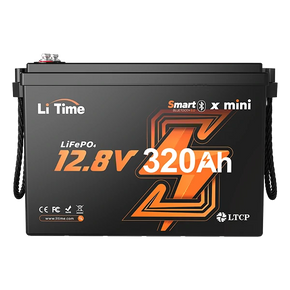
2) 12V 320Ah Mini Smart Self-Heating

- Energy: 4096Wh
- Continuous discharge: up to 200A (2560W)
- Higher capacity in a more compact footprint, reducing the need for multiple parallel batteries
Best for:
- Space-limited installs (vanlife builds, compact compartments, marine bays)
- Anyone who wants fewer parallel batteries (less wiring, fewer connection points)
- Higher single-battery energy density and a more stable winter system
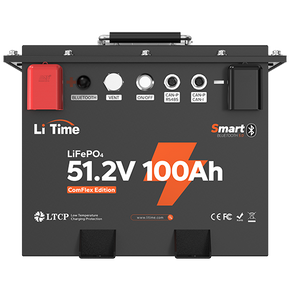
3) 24V 230Ah Smart Self-Heating

- Energy: 5888Wh
- Continuous discharge: up to 200A (5120W)
- High capacity in a compact footprint, reducing the need for parallel batteries
Best for:
- Larger RV, off-grid, and marine power systems
- Anyone who wants fewer parallel batteries (less wiring, fewer connection points)
- 24V systems needing strong continuous inverter output for higher loads
- Winter setups that need more stable cold-weather performance
A Practical Daily Energy Shortcut
Daily energy use (Wh) ≈ device power (W) × runtime (h)
- 12.8V 165Ah (2112Wh) fits light to moderate daily loads
- 12.8V 320Ah (4096Wh) fits moderate to heavy loads, such as a coffee maker, rice cooker, or air conditioner
If You See 0A, Do These 3 Checks First
- Check temperature first. Ambient temperature isn’t always cell temperature, but it’s enough to tell whether you’re in the cold-weather no-charge zone.
- Check temperature data in the Bluetooth app. If you see low-temperature protection, it’s doing its job.
- Don’t force a charge. If your battery doesn’t have self-heating, warm it in a milder environment before charging.
Conclusion
When a battery looks “dead” in cold weather, it’s often low-temperature charging being blocked by the BMS. The goal is to avoid lithium plating, which can cause irreversible damage.
The real solution isn’t charging harder. It’s getting the battery back into a safe charging temperature range first.
A self-heating battery effectively includes a built-in rescue routine: automatic heating → automatic charge enablement. That pulls you out of the “is my battery dead?” anxiety spiral.
So the next time you see 0A, stay calm. Check the temperature first, or switch to a battery that can self-heat.

