


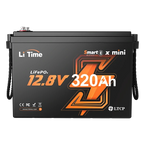


Welcome to the future of home energy. LiTime’s LiFePO4 (Lithium Iron Phosphate) energy storage systems offer a safer, more efficient, and incredibly durable power solution for your home, RV, or off-grid application.
This guide will walk you through everything you need to know, from the core components to safe installation and troubleshooting.
1. What's Inside Your LiTime LiFePO4 System?
A LiTime energy storage system is built from high-quality components designed to work together seamlessly.
-
LiFePO4 Battery Pack: The heart of your system.
- Ultra-Long Lifespan: Built to last for over 4,000 deep cycles, providing reliable power for years.
- Advanced Built-in BMS: LiTime Battery Management System (BMS) offers critical protections, including over-temperature, over-current, short-circuit, and over-charge/discharge prevention.
- Flexible & Scalable: Available in 12V, 24V, 36V, and 48V options to fit your specific energy needs.
- Power Inverter: This essential device converts the DC power stored in your batteries into AC power, allowing you to run standard household appliances.
- MPPT Solar Charge Controller: The Maximum Power Point Tracking (MPPT) controller maximizes the energy harvested from your solar panels, ensuring you get the most power possible, even in changing light conditions.
- Essential Safety Components: Your system includes circuit breakers, fuses, and busbars to protect your equipment and ensure stable, safe operation.

2. How to Wire Your System: A 12V Solar Setup Example
Proper wiring is crucial for safety and performance. Follow these steps carefully, using a 12V system as an example.
Safety First: Always wear insulated gloves and ensure all components are switched OFF before you begin.
Step 1: Connect the Battery to the MPPT Charge Controller
- Attach a circuit breaker to the battery's positive (+) terminal, but keep it in the OFF position.
- Connect the battery’s negative (-) terminal to the MPPT controller’s “BAT-” port.
- Connect the battery's positive (+) terminal (from the circuit breaker) to the MPPT’s “BAT+” port.
Pro Tip: Use cables appropriately sized to handle the maximum charging current.
Step 2: Connect the Battery to the Inverter
- Ensure the inverter's power switch is OFF.
- Attach a separate circuit breaker to the positive (+) side of the connection, closer to the battery, and keep it OFF.
- Link the battery’s negative (-) terminal directly to the inverter’s “BAT-” input.
- Link the battery’s positive (+) terminal (from the circuit breaker) to the inverter’s “BAT+” input.
Pro Tip: Use copper terminals and a torque wrench to tighten all bolts to specification. This prevents loose connections, a common cause of overheating.
Step 3: Connect Solar Panels to the MPPT Controller
- For safety, install a circuit breaker on the positive (+) wire coming from your solar panels and keep it OFF.
- Connect the solar panel's negative wire (typically black) to the MPPT’s “PV-” input.
- Connect the solar panel's positive wire (typically red) to the MPPT’s “PV+” input.
⚠️ Critical Safety Warning: The open-circuit voltage (VOC) of your solar panel array must never exceed the maximum input voltage rating of your MPPT controller. Exceeding this limit can permanently damage the controller.
Step 4: Connect the Inverter to Your AC Appliances
- Ensure all AC appliances (your "loads") are turned off.
- Connect the inverter’s AC output terminals to your AC distribution panel or directly to your appliances.
System Power-Up Sequence
Follow this order precisely to prevent power surges or damage:
- Turn ON the breaker between the Battery and the MPPT Controller.
- Turn ON the breaker between the Battery and the Inverter.
- Turn ON the breaker between the Solar Panels and the MPPT Controller.
- Switch ON the inverter itself.
- Finally, activate your AC loads.

3. Expanding Your System: Parallel & Series Connections
Need more power or longer runtime? You can expand your battery bank by connecting multiple batteries.
Requirements for Safe Connections
To ensure safety and performance, all batteries being connected must:
- Have the same voltage (V) and capacity (Ah).
- Be the same brand and model to ensure their BMS programming is compatible.
- Be purchased within 1 month of each other to minimize age-related performance differences.
When to Use Series vs. Parallel
-
Series Connections: Use this to increase system voltage.
Example: Connecting two 12V batteries in series creates a 24V system. -
Parallel Connections: Use this to increase capacity (Ah) and available current.
Example: Connecting two 100Ah batteries in parallel creates a 200Ah battery bank.
How to Connect Your Batteries
Golden Rule: If you need to do both, always make your parallel connections first, then connect the parallel groups in series.
-
How to Make a Parallel Connection (e.g., 2 x 100Ah → 200Ah)
- Connect all the positive (+) terminals together using a busbar.
- Connect all the negative (-) terminals together using another busbar.
- Use cables of the exact same length for all connections to ensure the batteries charge and discharge evenly.
-
How to Make a Series Connection (e.g., 2 x 12V → 24V)
- Link the positive (+) terminal of the first battery (or first parallel group) to the negative (-) terminal of the second battery (or second parallel group). The remaining open positive and negative terminals become the main outputs for your new, higher-voltage bank

4. Critical Installation Precautions & Safety Tips
Your safety is the top priority. Follow these rules during installation.
Golden Rules of Safety
- DISCONNECT ALL POWER before starting. This includes solar panels and any AC sources.
- WEAR INSULATED GLOVES and safety glasses.
- KEEP METAL TOOLS AWAY from battery terminals to prevent accidental short circuits. A dropped wrench can cause a dangerous spark.
Component-Specific Tips
- Battery Terminals: Tighten terminal bolts to the torque specified in the manual. Use washers if the bolts are too long for a snug fit.
- Inverter: Install the inverter in an area with adequate ventilation to prevent overheating. Leave several inches of clearance around its cooling vents.
- MPPT Controller: Mount the controller in a cool, dry location with good airflow. Avoid installing it in direct sunlight or in a sealed box where heat can build up.
Cable Management Best Practices
- Use the Right Size: Use cables rated for the expected current to prevent overheating. Read on LiTime Wire and Terminal Connection Guide for detailed information.
- Prevent Damage: Avoid sharp bends or crushing the cables. Use conduits for protection where necessary.
- Separate Wiring: Route positive and negative cables separately whenever possible to reduce electromagnetic interference.

5. Troubleshooting Common Issues
Encountering a problem? Here are solutions to common issues.
| Issue | Possible Causes | Solutions |
|---|---|---|
| Battery Not Charging | The battery's BMS protection has been triggered due to a fault (e.g., low voltage). | Use a charger or MPPT controller that has a "lithium battery activation" or "0V charging" function to wake up the BMS. |
| The charger is not compatible with LiFePO4 batteries. | Replace the charger with one specifically designed for LiFePO4, ensuring the voltage and charging profile match. | |
| The battery may have failed internally. | If other solutions don't work, the battery may need to be replaced. Contact support. | |
| Inverter Has No Output | The battery's voltage is too low to power the inverter. | Recharge the battery pack fully. |
| The inverter's internal capacitors have drained completely. | Briefly connect a cement resistor between the battery's positive terminal and the inverter's positive terminal to pre-charge the capacitors before making the full connection. | |
| The connected load exceeds the inverter's rating. | Reduce the number or size of appliances connected to the inverter. | |
| System Overheating | Battery or inverter terminals are loose. | Disconnect all power and retighten all high-current connections with a torque wrench. |
| Poor ventilation around components. | Ensure adequate airflow around the inverter and MPPT controller. Check that cooling fan vents are not blocked. | |
| MPPT Not Seeing Panels | The solar panel wiring has been connected in reverse polarity. | Disconnect power and correctly connect the PV positive (+) and negative (-) cables to the controller. |
| Panels are shaded or there is very weak sunlight. | Check for and remove any obstructions casting shadows on the panels. Wait for stronger sunlight. |
LiTime LiFePO4 batteries are designed to provide long-lasting, reliable energy for your home. Proper installation and routine checks are the keys to maximizing your system's performance and lifespan.
For further technical support, please don't hesitate to contact us at service@litime.com.


