




A ready-made portable solar power station with 1–2 kWh of capacity and a 1000–2000 W inverter can easily cost over $1,000. With some planning and a weekend of work, you can build a DIY solar power generator that is cheaper, easier to repair and fully customizable. This guide covers planning, parts selection, detailed wiring steps, enclosure design, common problems and safety checks.
1. Before You Start: Planning & What You Need
1.1 Define your use cases
Write down how you plan to use your power box, for example:
- Camping and overlanding – phones, LED lights, camera, 12 V fridge
- Fishing and hunting trips – fridge, lighting, small air pump
- RV and vanlife – fridge, laptop, fan, small cooktop or coffee maker
- Off-grid shed or cabin – lights, router, TV, maybe a small A/C
From this list, estimate your daily energy use (Wh) and your peak power (W). A simple method is covered in our sizing guide.
1.2 Skills and knowledge
You don't need to be an electrician, but you should:
- Know the difference between AC and DC
- Understand basic series / parallel connections
- Read a simple wiring diagram
- Use a multimeter and crimping tool safely
If these are completely new to you, spend some time with basic DC wiring tutorials before cutting wires.
1.3 Tools checklist
- Screwdrivers, drill and drill bits, utility knife
- Wire cutter and heavy-duty cable crimping tool
- Heat gun or lighter for heat-shrink tubing
- Multimeter for voltage and continuity
- Safety glasses and insulated gloves
- Zip ties, cable clamps and rubber grommets
2. Core Components of a DIY Solar Power Generator
2.1 Battery – the heart of the system
For modern DIY solar power generator kits, a LiFePO4 (lithium iron phosphate) battery is usually the best option: it is safer than many other lithium chemistries, and typically offers 3000–6000 cycles at 80% depth of discharge.
Compared with deep-cycle lead-acid batteries, LiFePO4 batteries are:
- Lighter for the same usable capacity
- More efficient (less energy lost when charging and discharging)
- Longer-lasting in daily cycling applications
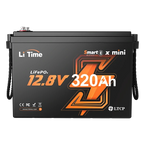
A popular starting point is a 12 V 100Ah LiFePO4 battery, which gives about 1280 Wh of nominal energy. For heavier use, a 12 V 230 Ah pack can provide over 2900 Wh.
Example LiTime Kits
- Kit 1 – 12 V 100 Ah + 30 A MPPT + 1000 W inverter: light and portable; runs a car fridge, phones, cameras and LED lights. With 200–400 W of solar, it can charge in about 3–6 hours of good sun.
- Kit 2 – 12 V 230 Ah low-temp + 40 A charger + 30 A MPPT + 2000 W inverter: designed for RVs and outdoor work; can power a car fridge, lighting, laptop and a small pot at the same time.
2.2 Inverter – turning DC into household AC
The inverter converts 12 V or 24 V DC from the battery into 120 V AC. Always choose a pure sine wave inverter to protect sensitive electronics. Modified sine wave units are cheaper but can cause noise, heat and premature failure in some appliances.
- 1000 W: phones, lights, car fridge, small coffee maker
- 2000 W: add small cooktops, kettles and more tools
- 3000 W+: support small air conditioners, microwaves or multiple appliances
For a more permanent off-grid system, see our 24 V 100 Ah + 3000 W hybrid inverter kit.
2.3 Solar charging and AC charging
You usually want both options:
- Solar charging: solar panels (200–800 W) plus a solar charge controller matched to your battery and array voltage.
- AC charging: a dedicated battery charger (for example a 40 A LiFePO4 charger) so you can top off the battery from shore power or a generator before a trip.
2.4 Shunt battery monitor
A shunt-type battery monitor measures how much current flows in and out of the battery and calculates state of charge, remaining amp-hours and estimated runtime. Even if your LiFePO4 battery has a Bluetooth app, a dedicated shunt gives more accurate system-wide data.
Some smart batteries and shunts can send data directly to a mobile app via Bluetooth, showing real-time current, SOC% and charge/discharge status similar to a ready-made portable solar power station display.
2.5 Wiring, bus bars and protection
Your main DC components are tied together with:
- Positive and negative bus bars (or power distribution blocks)
- Proper-gauge cables, often 8 AWG or heavier for main battery runs
- Circuit breakers or fuses on each major branch
- Crimped ring terminals with heat-shrink insulation
3. Step-by-Step Assembly & Wiring

3.1 Dry layout on a plastic mounting board
- Cut a plastic cutting board or similar non-conductive plate to fit the bottom of your enclosure.
- Place the inverter, solar charge controller, AC charger, shunt, bus bars and main breaker on the board.
- Check that cables can run in straight lines without crossing high-voltage AC over low-voltage DC.
- Leave at least a couple of inches of space around the inverter and charger for cooling.
- Mark the mounting holes with a marker and pre-drill them.
- Use self-tapping screws to fix each component in place.
Common mistakes in this step
- Placing the inverter too close to the battery so cables are bent sharply.
- Forgetting to reserve space for future upgrades (extra solar, second battery, etc.).
- Mounting components where they block access to fuses or breakers.
3.2 Install bus bars and the main breaker
- Mount the positive and negative bus bars close to the inverter and charge controller.
- Install a main breaker or fuse between the battery positive and the positive bus bar.
- Label the breaker clearly (for example, “Battery Main”).
The main breaker is your primary safety device and “on/off” switch for the DC system. Choose a rating slightly above the maximum expected continuous current, but below the wire's ampacity.
3.3 Install the shunt (battery monitor)
- Mount the shunt close to the battery negative terminal.
- Connect the battery negative to the shunt terminal labeled “Battery” or “B-”.
- Connect the shunt terminal labeled “Load” or “P-” to the negative bus bar.
- Connect the monitor's sense wires according to the manual and route them to the display or Bluetooth module.
Common mistakes with shunts
- Connecting some negative loads directly to the battery instead of the shunt (the monitor then shows wrong data).
- Mounting the shunt in a spot that is hard to reach for tightening or inspection.
- Using undersized wires between the battery and shunt, which can overheat.
3.4 Wire the inverter, charge controller and charger
Important: keep the battery disconnected while wiring.
- Measure and cut cables for the inverter. Strip the ends, crimp ring terminals and cover with heat-shrink. Connect negative to the negative bus bar, positive to the positive bus bar.
- Wire the solar charge controller battery terminals to the bus bars. Then wire the PV input to your solar array through a fuse or breaker sized for the array current.
- Wire the AC battery charger output to the bus bars, again with proper fusing if it is not built-in.
- Double-check that no wire is routed over sharp metal edges without a grommet.
Common mistakes in wiring
- Mixing up positive and negative on either the inverter or the charge controller.
- Leaving copper exposed outside of terminals, creating a short-circuit risk if something metal touches it.
- Using too thin wire for high-current lines because “that’s what I had in the garage”.
- Forgetting to tighten terminal screws after test-fitting the wires.
3.5 Move everything into the box
- Place foam or rubber padding at the bottom of the enclosure.
- Set the battery in the box and secure it with straps or brackets so it cannot move.
- Install the mounting board with all electronics above or beside the battery.
- Route cables neatly along the edges and secure them with cable clamps and zip ties.
- Cut openings in the front panel for AC outlets, DC ports, switches and the shunt display if used.
Common mistakes when boxing the system
- Making the box so tight that you can’t access terminals later for maintenance.
- Letting battery terminals be close to metal parts with no cover, which can cause accidental short circuits.
- Blocking the inverter fan or vents with insulation or other gear stored in the box.
4. Enclosure: Waterproof, Shockproof and Ventilated
4.1 Picking the right box
Look for a sturdy plastic or metal case, such as a large toolbox or equipment case, with:
- Enough room for the battery, electronics and wiring with some extra space
- Strong handles for carrying
- Flat surfaces for mounting connectors and displays
4.2 Waterproofing and moisture control
- Use a case with a gasketed lid or weather-resistant rating where possible.
- Route cables through waterproof cable glands or bulkhead connectors instead of open holes.
- Seal unused openings with silicone or rubber plugs.
- Store the box off the ground when possible to avoid standing water.
Avoid making the box completely airtight: inverters and chargers produce heat, and a small amount of airflow is helpful to prevent condensation.
4.3 Shock and vibration protection
- Place foam padding or rubber mats under and around the battery.
- Use straps or metal brackets so the battery cannot slide when moving the box.
- Support heavy cables so their weight does not pull on terminals.
- Use rubber grommets where cables pass through metal panels.
4.4 Ventilation and fans
Leave several inches of clearance around the inverter and high-power components. Consider drilling vent holes near the bottom and top of the box and covering them with mesh grills. For heavy-duty operation, add a small 12 V fan controlled by a thermostat or switch.
5. Safety Checks, First Power-On & Common Mistakes
5.1 Pre-flight checklist
- Every positive wire is fused or protected by a breaker.
- All terminals are tight and no copper is visible outside the lugs.
- Polarity (+/–) has been checked twice on every device.
- The battery is secured and cannot tip over if the box is moved.
- No wires are pinched under the lid or rubbing against sharp edges.
5.2 First power-on procedure
- Keep the solar panels disconnected.
- Connect the battery and turn on the shunt or battery monitor. Confirm the voltage looks reasonable.
- Switch on the main breaker and then the inverter, with no loads attached.
- Check the monitor for idle current and confirm there are no error codes.
- Plug in a very small load (phone charger) and verify correct operation.
- Gradually add larger loads and watch for voltage sag or warnings.
- After 10–20 minutes, feel the main cables, inverter and breaker to make sure nothing is excessively hot.
5.3 Common problems and how to fix them
- Problem: Inverter won't turn on. Check: main breaker, battery voltage, inverter's own switch and internal fuse; make sure the battery is not in low-voltage protection.
- Problem: Battery monitor shows 0% or wrong readings. Check: that all negative connections go through the shunt; re-run the monitor's calibration procedure.
- Problem: Cables or terminals feel hot. Check: cable size (may be too thin), loose screws on lugs, and the continuous current draw; upgrade the wire gauge or reduce the load if needed.
- Problem: Solar input seems low. Check: panel orientation, shading, wiring configuration (series vs parallel) and charge-controller settings for your battery chemistry.
6. Example System Sizes with LiTime Kits
6.1 Camping-sized portable solar power station
- 12 V 100 Ah LiFePO4 battery
- 1000 W pure sine wave inverter
- 200–400 W solar array with 30 A MPPT controller
Ideal for car fridges, phones, cameras and LED lighting for a full day in the field.
6.2 RV / vanlife power box
- 12 V 230 Ah low-temperature LiFePO4 battery
- 2000 W pure sine wave inverter
- 2 × 400 W solar panels plus a 40 A charger
Runs a car fridge, lighting, laptops and a small pot at the same time, and keeps working in winter conditions.
6.3 Small off-grid home system
- 24 V or 48 V LiFePO4 battery bank
- 3000–5000 W hybrid inverter
- 4–8 × 200 W solar panels
This setup is more like a fixed off-grid system than a carry box, but the same wiring concepts apply. See our 48 V hybrid inverter kit for a complete example.
7. FAQs
1. Is a DIY solar power generator cheaper than a store-bought portable power station?
Yes. For similar battery capacity and inverter power, a DIY build often costs 30–50% less than a branded portable power station. You can also repair and upgrade individual parts — battery, inverter, solar panels — instead of replacing the whole unit.
2. How big should my battery and inverter be?
Start from your largest appliance and daily energy use. Light camping loads work well with a 12 V 100 Ah battery and a 1000 W inverter. RV or heavier loads often need 12 V 200–230 Ah and a 2000 W inverter, or even a 24 V system for better efficiency.
3. Can my DIY system run a full-size refrigerator or air conditioner?
Many full-size fridges and small air conditioners need high surge power and continuous power. In practice, plan for at least a 2000–3000 W inverter and a larger 24 V or 48 V battery bank if you want to run these appliances reliably.
4. Is it safe to build this myself?
It is safe when you respect the limits of your components, size wires and fuses correctly, and mount everything securely in a proper enclosure. If you are not comfortable with AC wiring or local electrical codes, ask a licensed electrician to review your design.
5. Will using a LiTime battery in my DIY build void the warranty?
As long as you follow the installation and operating guidelines — correct charge voltages, current limits and environmental conditions — using a LiTime battery in a DIY system does not automatically void the warranty. For details, check the latest warranty page on the official LiTime website.


