


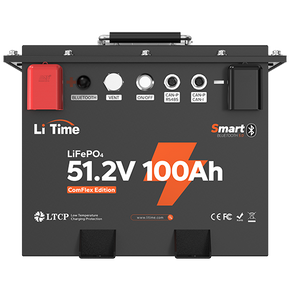

When upgrading RVs, boats, or off-grid systems, many users choose to connect multiple lithium batteries in parallel to get longer runtime and higher output current. But in real use, it’s very common to run into situations like this:
“I’m using Bluetooth monitoring on two 24V 100Ah batteries. One battery always stays in Standby Full mode at 27.4V, while the other discharges down to 20% or even lower. The battery in Standby Full never wakes up.”
On many forums (such as Forest River, DIY Solar, etc.), LiTime users have also reported that when multiple LiTime batteries are wired in parallel, only one or two batteries leave Standby Full and start discharging, while the others stay “asleep.”
In fact, in most of these cases, the issue is not that “the batteries cannot be paralleled,” but that the combination of wiring method + BMS logic + unequal state of charge creates out-of-sync behavior. This article will explain the whole situation in a clear and easy-to-follow way.
We’ll start from the basics: what is paralleling, how is it different from series connection, and what scenarios each is best suited for.

1. What Is Battery Parallel Connection? What Does It Do?
Before we go deeper into how to wire batteries in parallel, let’s briefly define the concept.
- In a series connection, voltage adds up while capacity (Ah) stays the same.
- In a parallel connection, voltage stays the same while capacity adds up.
For example: two 12V 100Ah batteries in parallel become a 12V 200Ah bank. At the same system voltage, you get longer runtime and higher discharge current, and you can power higher-wattage loads without changing the nominal system voltage.
For finished lithium batteries with a built-in BMS, paralleling is a very common application. The prerequisite, however, is doing the preparation and wiring correctly. Otherwise, it’s easy to see out-of-sync discharge behavior.
Before you parallel batteries, keep three simple rules in mind:
- Same voltage, same chemistry: 12V with 12V, 24V with 24V, ideally from the same brand and same model.
- Before paralleling: fully charge each battery first, then parallel and let the system sit for 12–24 hours so the voltages can settle and stay close. Avoid large voltage differences.
- BMS must be “ON” and allowed to discharge: if one battery’s state of charge is very low (< 20% or close to 0%), the BMS may already have turned off to protect the cells. This is one of the key reasons we’ll discuss later when we explain why parallel-connected Bluetooth lithium batteries discharge out of sync.
In the next section, we’ll get hands-on and look at how to wire different scenarios: two batteries in parallel, three batteries in parallel or in series, and a conceptual example of six batteries in a series–parallel configuration.

2. How to Wire Different Parallel Scenarios: Features of 2, 3, and 6 Batteries
In real-world use, the most common scenarios are:
- Two batteries in parallel
- Three batteries in parallel, or three batteries in series
- Six batteries in a series–parallel system (concept only)
Let’s go through each of these and see how they are wired and what to watch for.
2.1 Two Batteries in Parallel: how to wire batteries in parallel / how to hook batteries in parallel
Two batteries of the same voltage in parallel, for example:
- 2 × 12V 100Ah → 12V 200Ah
- 2 × 24V 100Ah → 24V 200Ah
Basic wiring (text description):
- Positive to positive (
+ to +) - Negative to negative (
– to –)
Three batteries in parallel (how to connect 3 batteries in parallel) use the same principle as two batteries, just with one more unit added. Similarly, three batteries can also be wired in series to increase voltage (for example, 3 × 12V = 36V).
Notes:
- Try to use the same brand, same capacity, same model, and same feature set so current sharing is more even later.
- 12V should only be paralleled with 12V, 24V only with 24V; don’t mix voltages.
- Do not connect all loads and chargers to only one battery. It’s better to connect them to a pair of busbars so each battery “sees” a similar path to the system.
2.2 Six Batteries in Series–Parallel (Concept Only)
Some users ask: “Can I use six batteries to build a larger-capacity, higher-voltage system, like 24V / 36V / 48V for an off-grid power system?”
From a theoretical structure point of view, six 12V batteries can be arranged in a few common series–parallel topologies. Below are two conceptual examples (for teaching purposes only):
-
3S2P: 3 in series, 2 in parallel
Example with 6 × 12V 100Ah: – First parallel two 12V batteries → 12V 200Ah, make three such groups; – Then connect those three groups in series → 36V 200Ah. -
2S3P: 2 in series, 3 in parallel
Again with 6 × 12V 100Ah: – First connect two 12V batteries in series → 24V 100Ah, make three such groups; – Then parallel those three groups → 24V 300Ah.
The examples above are theoretical series–parallel structures that help explain how 6 batteries could be arranged electrically. They are not recommended wiring methods for LiTime finished batteries in everyday use.
For LiTime finished lithium batteries (for example, the 12V 100Ah series), the typical spec is: maximum 4 in series and 4 in parallel (Max 4S4P). In other words, six-way parallel configurations are not supported.
If you already need the capacity of six or more batteries, your system is entering a “large energy storage / engineering-level” range. At that point, instead of trying to build a big bank out of many 12V bricks, it’s usually better to:
Choose LiTime’s 24V / 36V / 48V battery packs, or use factory-built high-voltage modules,rather than DIY a complex 6-parallel or 8-parallel structure with small batteries.

3. When Does “Parallel” Seem Successful but Not Work as Expected?
Many users experience something like this:
“The cables are all connected, and I can see both batteries online in the app, but only one battery is actually working. The other stays in Standby Full or looks like it’s turned off.”
In this section, we focus on one question: When everything appears to be wired in parallel, why does the battery bank still not work properly?
In general, there are four typical scenarios:
- Asymmetrical wiring: only one battery is really “doing the work”.
- Large difference in state of charge / voltage: as soon as you connect them, they “fight” each other and the BMS trips frequently.
- BMS behavior (detection thresholds + protection): leads to situations that look like “one working, one sleeping”.
- Mixing models / batches: different BMS logic causes inconsistent behavior.
3.1 Asymmetrical Wiring: It Looks Parallel, but Only One Battery Is Used
Typical symptoms:
- Two batteries are already wired in parallel.
- But in the Bluetooth app, you see:
- Battery A: large discharge current, SOC dropping noticeably.
- Battery B: current near 0, always showing Standby Full, or SOC dropping very slowly.
Common causes:
- The inverter, loads, and charger are all connected to Battery A.
- Battery B is only tied to A with one short jumper cable.
- Or A’s cables are shorter/thicker with lower resistance, so current naturally prefers A’s path.
In other words, “how to wire batteries in parallel” was only done halfway right (positive to positive, negative to negative), but the wiring is asymmetrical, so in practice only one battery is really being used.
Solution:
- Use a positive and negative busbar:
- Each battery’s positive terminal is connected to the positive busbar with cables of the same length and gauge.
- Each battery’s negative terminal is likewise connected to the negative busbar.
- Loads and chargers are connected to the busbars, not to a single battery.
3.2 Big SOC / Voltage Difference: Immediate “Cross-Charging” and Protection
Typical scenario:
- Battery 1 is nearly full (for example, 27.4V).
- Battery 2 has a low state of charge (around 20%, with clearly lower voltage).
- The user directly parallels them: “Positive to positive, negative to negative, done!”
At the instant of connection, what happens?
- The higher-voltage battery will “dump” current into the lower-voltage battery.
- The equalization current may be very large for a short time.
- The BMS sees this as unsafe and may trigger protection (overcurrent, overvoltage, overtemperature, etc.).
Result: one of the batteries goes into protection and shuts off, and the entire parallel bank becomes unstable—voltage jumps around, app status keeps changing, sometimes the system works, sometimes it suddenly shuts down. In some cases, you may even feel like “it charges worse after paralleling.”
In reality, nothing is inherently wrong with the batteries. The issue is the operation. You just need to add one step before paralleling:
- Take apart all parallel connections; connect each battery individually to a charger and fully charge them one by one.
- Let them rest for 30–60 minutes so the voltage can stabilize.
- Measure the voltage of each battery and keep the difference within about 0.05–0.10V before paralleling.
- Then reconnect them using the standard parallel method (positive to positive, negative to negative) with symmetrical cable lengths and proper wire gauge.
If you follow this, you can solve most “mutual charging + protection” issues caused by large voltage differences.
3.3 BMS Detection Thresholds + Voltage Difference: “One Discharging, One in Standby”
In many real-world Bluetooth lithium parallel cases, users see something like:
- Battery A: app shows it is discharging and SOC is dropping.
- Battery B: always shows Standby Full or Standby, with almost zero current.
The natural assumption is: “This battery is faulty.” But from a BMS logic perspective, this behavior often comes from a combination of two effects:
Case 1: The BMS Has a Current Detection Threshold — Low Current Makes SOC/Status Look Out of Sync
To ensure accurate SOC at higher discharge currents, the BMS typically sets a minimum current detection threshold (often around 1–1.5A):
- When current is above this threshold, the BMS clearly treats it as “discharging”: SOC goes down and status is shown as Discharge.
- When current hovers around this threshold, different BMS units might interpret it differently:
- One battery determines “yes, this is discharging,”
- another decides the current is too low and treats it as “Standby,”
- resulting in out-of-sync status displays—making it look like only one battery is working.
So, the battery isn’t necessarily not working; the BMS is just interpreting low current differently, so what you see in the app is not synchronized.
Solution: Make the discharge current clearly “above the threshold” so both batteries more easily show the same status.
- After building the parallel system, connect a somewhat larger load.
- Let the total discharge current be around ≥ 10A (instead of just 1–2A trickling out).
- At this current level, the BMS is more likely to consistently recognize “discharging,” so both batteries’ discharge status and SOC readings will tend to sync up.
Case 2: Different Terminal Voltages — the Higher-Voltage Battery Discharges First (Normal Behavior)
Another common situation is that the two parallel batteries do not have exactly the same terminal voltage:
- The higher-voltage battery will initially carry most or all of the discharge current.
- As this battery discharges, its voltage drops.
- When its voltage drops close to the other battery’s voltage, the second battery begins to participate more and more in the discharge.
This is actually a normal discharge pattern for parallel batteries: whoever has the higher voltage takes on more current at first; when voltage differences shrink, current sharing becomes more even.
Solution: When you see “one battery discharging, one in standby,” try:
-
Temporarily turn off and then re-enable discharge on the battery that is currently discharging.
- For example, in the app, turn off the discharge switch for the battery that is actively discharging, then turn it back on.
- This forces the system to re-distribute current and can help both batteries enter “discharging together” more quickly.
-
Under safe conditions, briefly connect a load of ≥ 50A.
- Make sure your cabling, fuses, and connections are rated for this current.
- A higher-current load can more clearly engage both batteries in the discharge process and helps the BMS “re-calibrate” SOC and status in a realistic high-current scenario.
- Do not exceed your system’s design limits, and don’t keep this high load running for too long.
Note:
The methods above apply to situations where voltage is normal and the BMS reports no hard fault, but the display and discharge rhythm are simply out of sync. If the battery voltage is abnormally low or the app shows clear fault alarms (such as low-voltage protection), then it’s a case of true BMS protection and you should follow the “individual wake-up” process.
3.4 Mixing Models / Batches: “Weird” Behavior from Different BMS Logic
Another class of problems occurs when users parallel different models, different capacities, or even different brands of batteries. In these situations, you often see:
- One battery’s SOC drops quickly, another drops much slower.
- Some batteries stop discharging (protection) at a certain voltage, while others keep going.
- The whole system sometimes carries load normally, sometimes one battery triggers protection, making the user feel like “parallel is very unstable.”
Main reasons:
- Different internal resistance leads to uneven current distribution.
- Different cell capacities mean smaller batteries drop SOC faster at the same current.
- Different BMS settings (overcharge, overdischarge thresholds, current limits, sleep logic) cause some batteries to “drop out of the fight” earlier than others.
Recommendation:
When paralleling, try to use the same brand, same model, same capacity, and same production batch as much as possible. In most normal use cases, keeping all batteries from one brand and product line is already a big step toward stable behavior.
4. How to Systematically Solve Parallel Issues (Troubleshooting + Wiring Practices)
We’ve analyzed several typical problems above. In real troubleshooting, you can follow the step-by-step process below—from simple to more detailed—to locate and fix most issues.
4.1 Unified Troubleshooting Flow for Pre-Parallel Checks and Fault Conditions
Step 1: Break the parallel connection
- Remove all parallel cables so each battery stands alone.
- Temporarily disconnect the inverter and all loads; keep only a one-to-one connection of “battery ⇄ charger.”
Step 2: Check each battery’s voltage and BMS status
- Use the Bluetooth app or a multimeter to check each battery’s open-circuit voltage and status.
- If the voltage is normal and status is Normal / Standby Full, but you previously saw “one discharging, one in standby,” you can:
- Refer to Section 3.3 (current detection threshold + terminal voltage difference),
- Try increasing the load current or toggling the discharge switch to see if the discharge status and SOC start to sync.
- If any battery shows significantly low voltage or the app clearly shows Protect / Off / low-voltage protection alarms, then that battery is truly abnormal and needs individual handling in the next step.
Step 3: Handle abnormal batteries individually (actual protection / low-voltage state)
- Use a charger that supports lithium batteries (ideally with low-voltage wake-up) to charge that specific battery by itself.
- Follow the earlier BMS protection/wake-up guidelines to bring it from Protect / Off back to Normal / Charge, and restore the voltage to a normal range.
- If a regular charger cannot start charging, contact the manufacturer to ask whether a special “wake-up charger” or other procedure is required.
Step 4: Make sure all batteries are “powered on + allowed to discharge”
- Physical power switch is in the ON position.
- In the app, “Allow Charge / Allow Discharge” (or similar Charge / Discharge toggles) are turned on.
- Each battery can power a small test load on its own without any protection alarms.
Step 5: Fully charge individually, rest, and align voltages
- Fully charge each battery individually, then let it rest for 30–60 minutes.
- Measure open-circuit voltage again and try to keep the difference within 0.05–0.10V.
- If there are large differences, continue to top off or equalize the lower batteries until voltages match closely.
Step 6: Rebuild the parallel connection using proper wiring practices
- Positive to positive, negative to negative.
- Use cables of equal length and identical gauge from each battery to the positive and negative busbars.
- Install appropriate fuses or breakers on each battery’s positive terminal.
- After re-paralleling, connect a medium-power load and observe:
- Each battery shows non-zero current.
- Each SOC is slowly decreasing (small differences are normal).
- If there is minor display desynchronization, refer back to Section 3.3 and use a slightly larger load to help the BMS detect discharge more consistently.
Reminder: The detailed reasoning behind “BMS current thresholds / terminal voltage differences causing out-of-sync display,” as well as “how to wake a battery from real protection,” has already been covered in Section 3.3 and related parts. This section is meant as a practical checklist you can follow directly.
4.2 If You Don’t Want to Deal with Parallel Wiring at All: Consider LiTime Finished Battery Packs
If reading through the steps above makes you think “Parallel wiring, BMS behavior, and wire sizing are too much to worry about,” there is a simpler option:
- Select LiTime 24V / 48V lithium battery pack or higher-capacity single packs.
- Let the manufacturer handle internal series/parallel design, cell matching, and BMS balancing.
- You just need to connect the positive and negative terminals as instructed and start using the system.
When your required capacity approaches or exceeds the single-battery rating or the recommended limit of 4S4P, it is usually better to move up to a LiTime 24V / 48V pack or a complete storage system instead of DIY-ing complex large parallel banks out of many 12V units.
5. Conclusion
Parallel connection itself is not complicated. What really makes things tricky are the “details” and the “patience” that are easy to overlook. As long as you go through the steps above one by one, most issues can be located and resolved.
What strange situations have you run into when using or installing lithium batteries? Feel free to share them in the comments. We can break down these real-world cases in future articles and help more users avoid the same pitfalls.
6. FAQ
Q1: What gauge wire do I need for two 12V batteries in parallel? What about 24V / 48V systems?
For two 12V 100Ah batteries in parallel with cable length within 1–2 meters and a maximum system current under 100A:
- You can typically consider using 4 AWG copper cable.
- If you have a high-power inverter (> 1500W) or longer cable runs, it’s better to use 2 AWG or even 1/0 AWG to provide more safety margin.
For 24V / 48V systems at the same power level, current is lower than in a 12V system, so wire gauge does not necessarily need to be heavier than the 12V case. However, it’s still not recommended to deliberately downsize the cable—keeping some safety margin is always wise.
Note: The values above are practical guidelines only. Final wire gauge selection must comply with local electrical codes, the cable manufacturer’s spec, and the battery/inverter manuals. If you’re unsure, consult a qualified electrician.
Q2: Can I charge and discharge at the same time when two or three batteries are in parallel?
In general, yes, as long as:
- The charger’s voltage and current are within the allowable range of the parallel system.
- The wiring is correct and wire gauge is adequate so that one battery isn’t carrying all the current.
- The series/parallel configuration is within the manufacturer’s specified limits (for example, how many in series and parallel are supported). Otherwise, the BMS may misinterpret conditions or trip protection frequently.
Many inverter/charger all-in-one units are designed to support “charging while discharging.” The key question is not “can it be done,” but whether the batteries, BMS, and charger are designed to work this way together.
Q3: If 2 or 3 batteries in parallel have different states of charge, how do I charge them without overcharge/overdischarge?
- Do not directly parallel a high-SOC battery with a low-SOC battery. First, charge each battery individually. Charge the lower-SOC ones until their voltage is close to the others.
- Ideally, fully charge each one, let them rest, and then parallel when the voltage difference is within about 0.05–0.10V.
- If you already have a situation where one battery is below 20% or close to 0%, and after paralleling it still does not participate in discharge at all, go back to Sections 4 and 5:
- Break the parallel connection.
- Use a charger to bring that battery back to a normal state (wake and recharge it individually).
- Confirm the BMS is back to normal, then rebuild the parallel connection.
Q4: Can different brands or capacities of batteries be connected in parallel?
Theoretically, as long as the voltage is the same, you can connect them in parallel. In practice—especially for finished lithium batteries with built-in BMS—it is not recommended to mix them casually.
If users must mix batteries, at minimum they should:
- Ensure the same chemistry (for example, all LiFePO₄).
- Match and align voltages and SOC as closely as possible before paralleling.
- Understand that SOC readings and current sharing will not be perfectly equal. It’s normal for mixed batteries to behave differently; don’t expect them to behave like identical twins.
For critical loads or long-term high-power usage, the safer approach is:
- Use batteries of the same brand, model, capacity, and batch in parallel, or
- Move up to a LiTime integrated high-capacity / high-voltage battery pack.
Q5: How should parallel batteries be stored safely if they won’t be used for a long time?
Whether you have 2, 3, or more batteries in parallel, for long-term storage you can follow these basic rules:
- Store at a medium state of charge: usually 40%–60% SOC is recommended. Avoid storing fully charged or nearly empty.
- Prefer to break the parallel connection for long-term storage: disconnect the parallel links so each battery is isolated. Self-discharge can vary; storing them individually avoids one battery “dragging down” another.
- Turn off loads and charging equipment: make sure there are no hidden parasitic loads (such as standby devices, monitors) slowly draining the batteries.
- Check voltage / SOC regularly: re-check every 1–3 months. If voltage has dropped significantly, top up the charge to avoid long-term deep discharge.
- Before re-paralleling: repeat the pre-parallel steps from this article—charge individually, rest, measure voltage, and align them—so that every battery is in a healthy state before you reconnect them in parallel.

