


Have you ever worried about your battery dying unexpectedly during RV trips, been unsure of remaining power while fishing on the water, or wondered how long your backup power supply will last during an outage? Most people don't know that you can quickly estimate 12V battery State of Charge (SOC) with just a multimeter—no extra professional tools required. This guide breaks down voltage testing for 12V LiFePO4 batteries step by step, with a handy SOC reference chart to help you accurately check battery health.
- Part 1: Key Pre-Test Concept: Resting Voltage for 12V LiFePO4 Batteries
- Part 2: Step-by-Step: Test 12V LiFePO4 Battery Voltage with a Multimeter
- Part 3: FAQ: Multimeter Testing for 12V LiFePO4 Batteries
- Part 4: Better Alternative: LiTime Smart Battery APP for Real-Time Monitoring
- Conclusion: From Manual Testing to Smart Battery Management
Part1: Key Pre-Test Concept: Resting Voltage for 12V LiFePO4 Batteries
Many users test battery voltage while charging or discharging and get inaccurate readings. Per industry standards, a battery's true voltage (used to calculate SOC) can only be measured as resting voltage.
What is Resting Voltage?
Resting voltage is the voltage measured after disconnecting the battery from all chargers, inverters, and loads (no current in/out) and letting it rest for 30 minutes.
Charging/discharging causes voltage "false high" or "false low" due to polarization—these readings cannot estimate SOC. Only a stable resting voltage works for accurate SOC calculation.
Note: After high-current charging/discharging (0.5C or higher), rest for 2 hours for stable readings.
Part2: Step-by-Step: Test 12V LiFePO4 Battery Voltage with a Multimeter
Step 1: Prep & Safety Check
- Inspect your multimeter: Insert red probe into the V/Ω port, black probe into the COM port (never use the current port for voltage testing).
- Set the dial to DC Voltage (DC V); or select 20V range or auto-range.
- Wear insulated gloves; disconnect all chargers, loads, and devices from the battery.
- Let the battery rest for at least 30 minutes to stabilize voltage.
Step 2: Measure Voltage Correctly
- Touch the red probe to the battery positive (+) terminal and the black probe to the negative (-) terminal.
- Read and record the displayed value—this is your resting voltage.
Step 3: Match Voltage to SOC with the Reference Chart

Use this LiTime standard chart to estimate remaining power for 12V LiFePO4 batteries (double values for 24V, triple for 36V...):

The video below is for your reference:
Note: Values are LiTime general references. Slight differences may apply by cell brand and BMS settings.
Step 4: Calibrate for Overcharge Protection
LiFePO4 batteries have built-in overcharge protection, which may cause false low voltage after full charge.
- Overcharge protection lowers measured resting voltage below the true value.
- Calibration: Add 0.5V – 0.7V to your reading, then match to the SOC chart.
- Quick fix: Run a 5A+ load for 1 minute, disconnect, rest 30 minutes, and re-test.
Part3: FAQ: Multimeter Testing for 12V LiFePO4 Batteries
Q1: Why is voltage high when charging but drops after resting?
A: Normal. Charging shows charger voltage, not true battery voltage. Always rest 30 minutes to test SOC.
Q2: My 12V LiFePO4 reads only 12.9V when full—Is it broken?
A: No. It's likely in overcharge protection. Add 0.5–0.7V or run a small load to restore true voltage.
Q3: Can I use lead-acid SOC charts for LiFePO4?
A: No. 12V lead-acid full resting voltage ≈12.6V; 12V LiFePO4 ≈13.33V. Using the wrong chart causes large errors.
Q4: What should a good 12V LiFePO4 battery read on a multimeter?
A: After 30 minutes of rest, a healthy 12V LiFePO4 battery reads between 10.8V – 13.8V.
Part4: Better Alternative: LiTime Smart Battery APP for Real-Time Monitoring
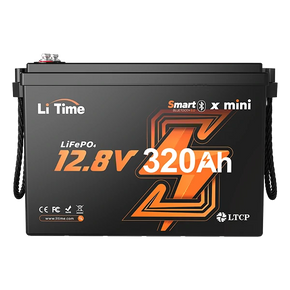
While a multimeter is low-cost, manual resting and chart-checking are time-consuming and less accurate. For precision and convenience, choose LiTime Smart LiFePO4 Batteries with built-in Bluetooth.

The LiTime APP lets you:
- View real-time SOC, voltage, current, power, and capacity
- Monitor balancing, BMS status, and cell health
- Remote on/off control and one-key battery shutdown
Perfect for home energy storage, RVs, marine fishing, and camping—check battery status instantly on your phone.
Conclusion
Using a multimeter to test the SOC of a 12V battery is a quick and practical self-test method, helping you determine if the battery is low on charge or needs recharging. However, it's only a rough estimate and cannot replace professional monitoring.
Choosing a lithium iron phosphate battery like LiTime, which comes with a smart app monitoring system, not only allows you to monitor the battery status in real time but also enables you to control battery discharge and shutdown via the app, simplifying user operations and enhancing user experience. Whether for routine maintenance or emergency power supply in extreme weather, smart monitoring gives you a clear understanding of the battery's status, providing greater peace of mind.

